





What is an Email Bounce?
An email bounce occurs when an email cannot be successfully delivered to the recipient’s inbox and is returned to the sender. Emails can bounce for several reasons, including an invalid email address, a full mailbox, problems with the recipient’s mail server or restrictions that prevent the message from being accepted.
Email bounces are generally classified as either hard bounces or soft bounces. A hard bounce usually indicates a permanent delivery problem, while a soft bounce is typically caused by a temporary issue that may allow the email to be delivered later.
For businesses sending marketing, transactional or customer communications, high bounce rates can reduce email deliverability, waste marketing resources, and negatively affect sender reputation. Understanding why emails bounce and how to reduce them is therefore an important part of maintaining a clean, deliverable email database.
What Causes Emails to Bounce?
Emails can bounce for a variety of reasons, ranging from incorrect email addresses to temporary problems with the recipient’s mail server. The reason for the bounce will usually determine whether it is classified as a hard bounce or a soft bounce.
Some of the most common causes of email bounces include:
- Invalid email addresses – The email address may be incorrect, misspelled or no longer exist.
- Full mailboxes – The recipient’s inbox may have reached its storage limit and cannot accept new messages.
- Mail server issues – Temporary technical problems with the recipient’s email server can prevent delivery.
- Inactive email accounts – An email account may have been closed, disabled or abandoned.
- Blocked messages – Recipient servers may reject emails because of spam filters, security policies or sender reputation.
- Invalid or inactive domains – Emails cannot be delivered if the recipient’s domain does not exist or is unable to receive email.
Identifying why emails are bouncing helps businesses distinguish between temporary delivery problems and addresses that should be removed or corrected before future email campaigns.
Hard Bounce vs Soft Bounce
Email bounces are generally divided into two categories: hard bounces and soft bounces. The main difference is whether the delivery failure is permanent or temporary.
|
Hard Bounce |
Soft Bounce |
|
Permanent delivery failure |
Temporary delivery failure |
|
Email address may not exist |
Recipient's mailbox may be full |
|
Domain may be invalid or inactive |
Mail server may be temporarily unavailable |
|
Address should generally not be emailed again |
Delivery may be attempted again later |
A hard bounce indicates that an email cannot be delivered because of a permanent issue, such as an invalid or non-existent email address. A soft bounce occurs when a valid email address cannot receive a message because of a temporary problem.
Understanding the difference helps businesses decide whether an email address should be removed, corrected or retained for future communications.
What is a Hard Bounce?
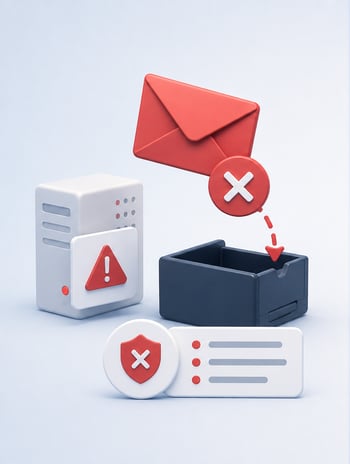
A hard bounce occurs when an email cannot be delivered because of a permanent delivery problem. This typically means the recipient’s email address is invalid, no longer exists or cannot receive email.
Common causes of hard bounces include:
- Non-existent email addresses – The mailbox has been deleted, closed or never existed.
- Incorrect email addresses – Typing errors or incorrect information can result in messages being sent to invalid mailboxes.
- Invalid domains – The domain associated with the email address may not exist or may no longer be active.
- Mail servers permanently rejecting delivery – The recipient’s server may reject the message because the address or domain cannot accept email.
Hard bounced addresses should generally be removed or suppressed from future email campaigns. Continuing to send emails to invalid addresses can increase bounce rates, waste marketing resources and negatively affect sender reputation and overall email deliverability.

What is a Soft Bounce?
A soft bounce occurs when an email cannot be delivered because of a temporary delivery problem. Unlike a hard bounce, the recipient’s email address may still be valid, meaning the message could be successfully delivered at a later time.
Common causes of soft bounces include:
- Full mailboxes – The recipient’s inbox has reached its storage limit and cannot currently accept messages.
- Temporary mail server issues – The recipient’s email server may be unavailable or experiencing technical problems.
- Message size limits – An email or its attachments may exceed the recipient server’s maximum allowed size.
- Temporary delivery restrictions – Spam filters, security policies or sending limits may temporarily prevent the message from being accepted.
Soft-bounced addresses do not necessarily need to be removed immediately. However, if an address repeatedly soft bounces over multiple sending attempts, it may indicate a more persistent delivery problem and should be reviewed.
What is Email Bounce Rate?
Email bounce rate is the percentage of emails sent that cannot be successfully delivered to recipients. It is an important email marketing metric because a high bounce rate can indicate problems with the quality or accuracy of an email database.
Email bounce rate can be calculated using the following formula:
Email Bounce Rate = (Number of Bounced Emails ÷ Total Emails Sent) × 100
For example, if a business sends 10,000 emails and 200 bounce, the email bounce rate would be 2%.
Monitoring bounce rate helps businesses identify potential problems with their email data and sending practices. A consistently high bounce rate may indicate a database contains invalid, outdated or incorrectly entered email addresses, which can negatively affect sender reputation and overall email deliverability.
How to Reduce Email Bounce Rates?
Reducing email bounces starts with maintaining accurate email data and following good email sending practices. Removing invalid or outdated addresses can improve email deliverability, protect sender reputation and ensure more messages reach their intended recipients.
Businesses can reduce email bounces by:
- Verify email addresses – Use email verification to identify invalid, undeliverable or incorrectly formatted addresses before sending.
- Clean email lists regularly – Remove addresses that consistently hard bounce and review repeated soft bounces.
- Validate emails at the point of entry – Check email addresses when customers submit forms or create accounts to prevent incorrect data entering your database.
- Avoid outdated email lists – Older databases are more likely to contain abandoned, inactive or invalid email addresses.
- Monitor bounce rates – Track hard and soft bounces to identify potential problems with your email data or sending practices.
- Maintain good sending practices – Relevant content, appropriate sending frequency and good list management can help protect sender reputation and improve deliverability.
Using an email verification solution can help businesses identify problematic email addresses before they affect campaigns, supporting cleaner customer data, lower bounce rates and better email deliverability.
Frequently Asked Questions?
What Happens When an Email Bounces?
When an email bounces, the recipient's mail server is unable to deliver the message. The sender will often receive a bounce notification or delivery status message explaining why the email could not be delivered. Depending on the reason, the failure may be temporary or permanent.
How Do You Know If an Email Has Bounced?
Most email platforms notify the sender when an email cannot be delivered. The bounce message may include an error code or explanation, such as an invalid email address, full mailbox, unavailable server or rejected message.
Should You Delete Bounced Email Addresses?
Hard-bounced email addresses should generally be removed or suppressed because they indicate a permanent delivery failure. Soft-bounced addresses can usually be retained initially, but repeated soft bounces should be monitored and reviewed.
How Long Does It Take for an Email to Bounce Back?
Some email bounces occur almost immediately, particularly when an address or domain does not exist. Temporary delivery problems may take longer because mail servers can retry delivery before eventually returning the message as undeliverable.
Melissa - The Address Experts
As the leader in address verification, Melissa combines decades of experience with unmatched technology and global support to offer solutions that quickly and accurately verify addresses in real-time, at the point of entry. Melissa is a single-source vendor for address management, data hygiene and pre-sorting solutions, empowering businesses all over the world to effectively manage their data quality.